
Pixel Art Generator
AI Pixel Art Generator for Game Sprites
Describe a character, item or scene and get pixel art at 32, 64 or 128 px, ready for your game. Then animate the sprite, turn it to face 8 directions, or build a whole sprite sheet from it.

How it works
From a prompt to a game-ready sprite
- Describe it. Type what you want, like “a knight with a blue cape, idle pose”, and pick Pixel Art at 32, 64 or 128 px.
- Generate. A sprite costs 1 credit on the default model; Retro Diffusion draws true pixel art natively for 10. Characters come back on a transparent background.
- Take it further. Animate it (walk, run, attack), turn it to face 8 directions, edit it with a prompt, or download the PNG.
New accounts get 125 free credits, no card needed. You own what you make and can use it in commercial games.
What you can make
One sprite, every asset around it
Sprite animationsWalk, run, jump and attack cycles from one sprite.8-direction spritesTurn a character to face every direction for top-down games.Sprite sheetsA full set of animations, exported as one sheet.Image to pixel artTurn any picture or render into pixel art.Background removerCut sprites out cleanly for your game.Compare image modelsThe same prompts on six models, with their costs.
Examples
Game Assets and Sprites
Create items, props, weapons, pickups, and other production-ready sprite work with a tighter visual style and less manual cleanup.


Characters
Generate heroes, enemies, and NPCs, then expand those designs into alternate poses, rotations, and supporting character variants.


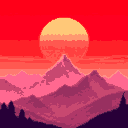
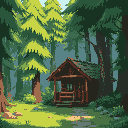
Artwork
Build backgrounds, scenes, and detailed pixel compositions for menus, level art, and other supporting visuals beyond core gameplay sprites.
Frequently asked questions
Is the AI pixel art generator free?
You get 125 free credits when you sign up, no card needed. A pixel art sprite costs 1 credit on the default model, so that is enough to try the generator, animations, rotations and one full multi-animation set.
What sizes can it make?
Pixel art comes out at 32, 64 or 128 px, square. Larger art can be made at 512 or 1024 px.
Is it real pixel art or just a filter?
Both are available. Retro Diffusion draws pixel art natively at sprite size. The other models generate at a higher resolution and are snapped to the pixel grid with a limited palette, so every pixel is a single color.
Can I animate the sprites?
Yes. An animation costs 15 credits and keeps the sprite on the pixel grid with its own palette. You can also turn a character to face 8 directions for 10 credits.
Can I use the art in a commercial game?
Yes. You own what you make and can use it in commercial projects.
Which engines does it work with?
Any. Download PNGs, GIFs or sprite sheets for Godot, Unity, GameMaker, Phaser or your own engine.
Use Voidless to move from rough visual ideas to clean pixel deliverables faster, whether you are building a one-off sprite sheet or a full game art pipeline.