Effects kept
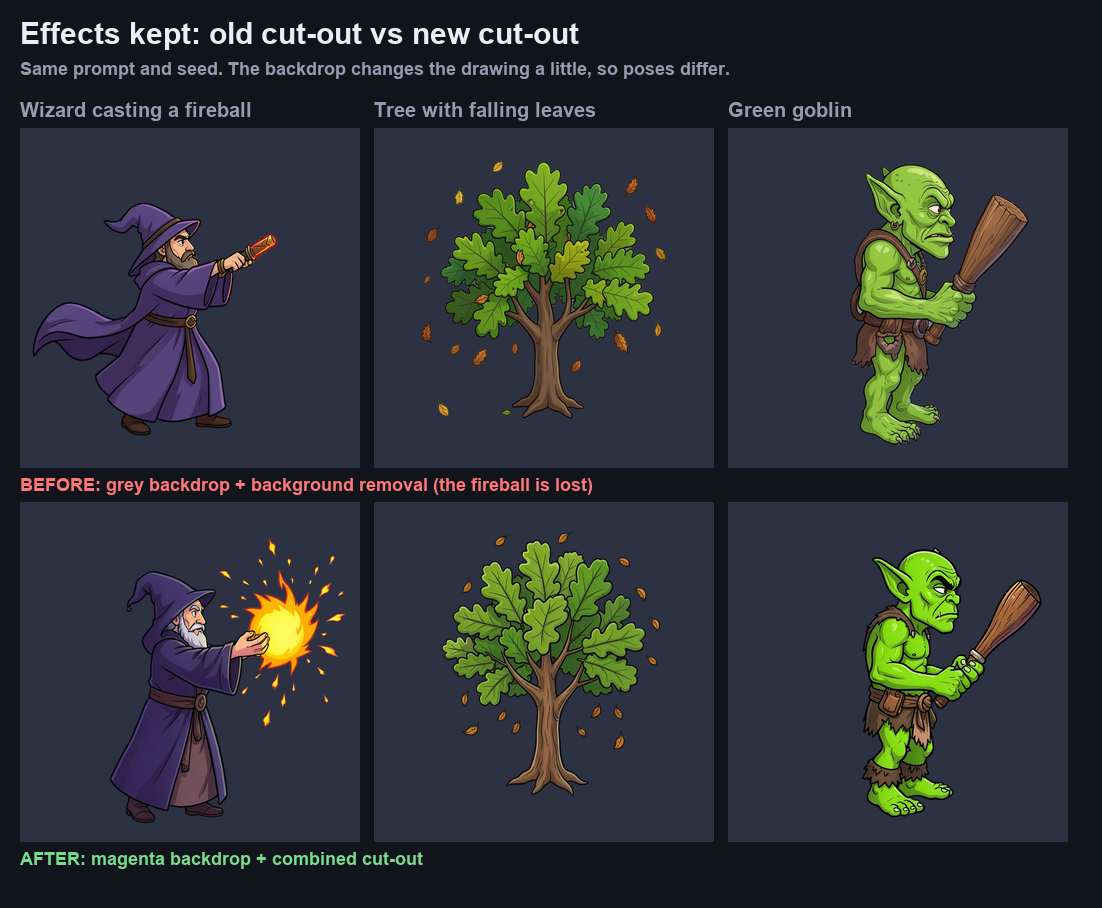
Fireballs, sparks and glows survive the cut-out.
 VOIDLESS.DEV
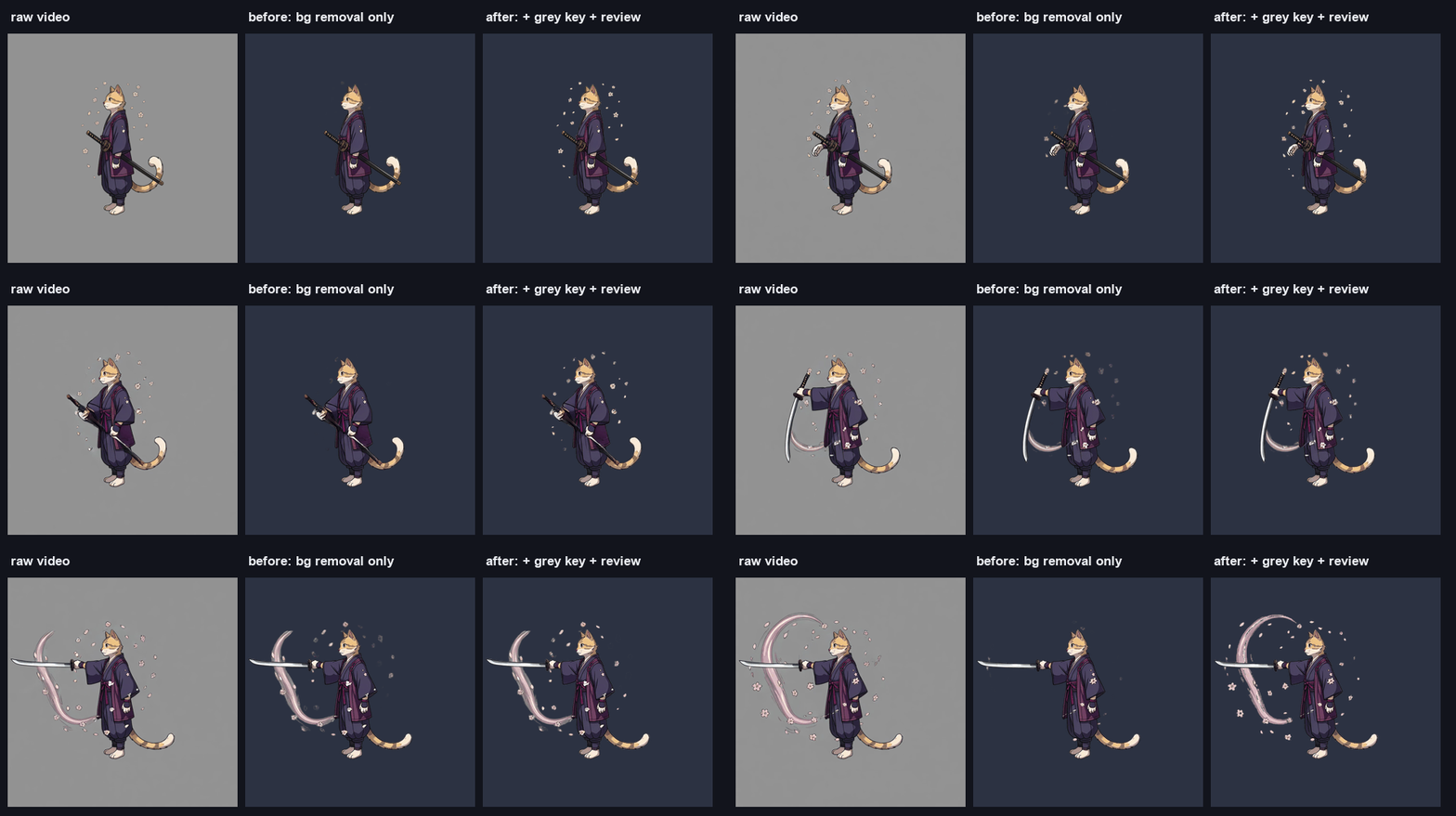
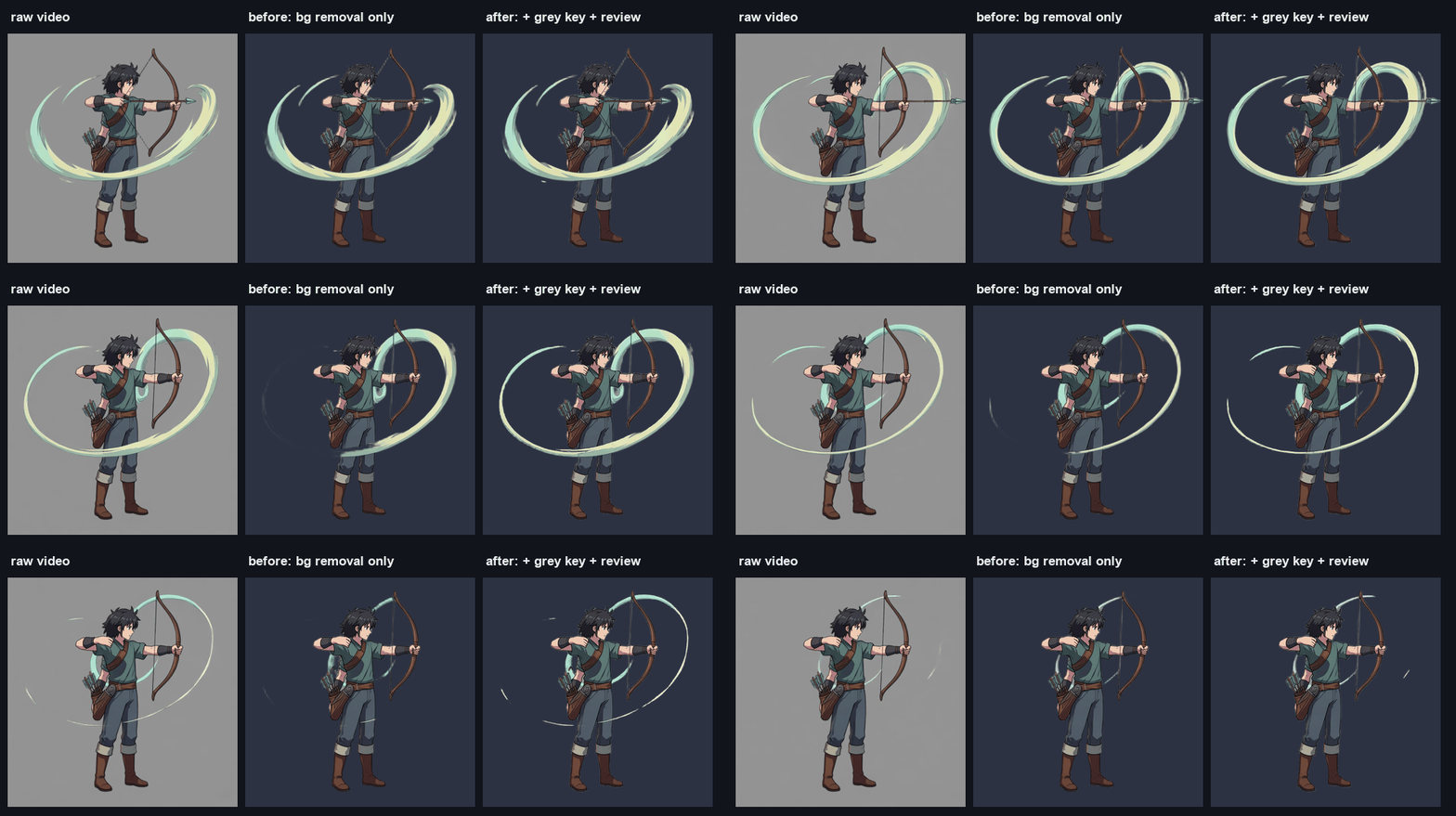
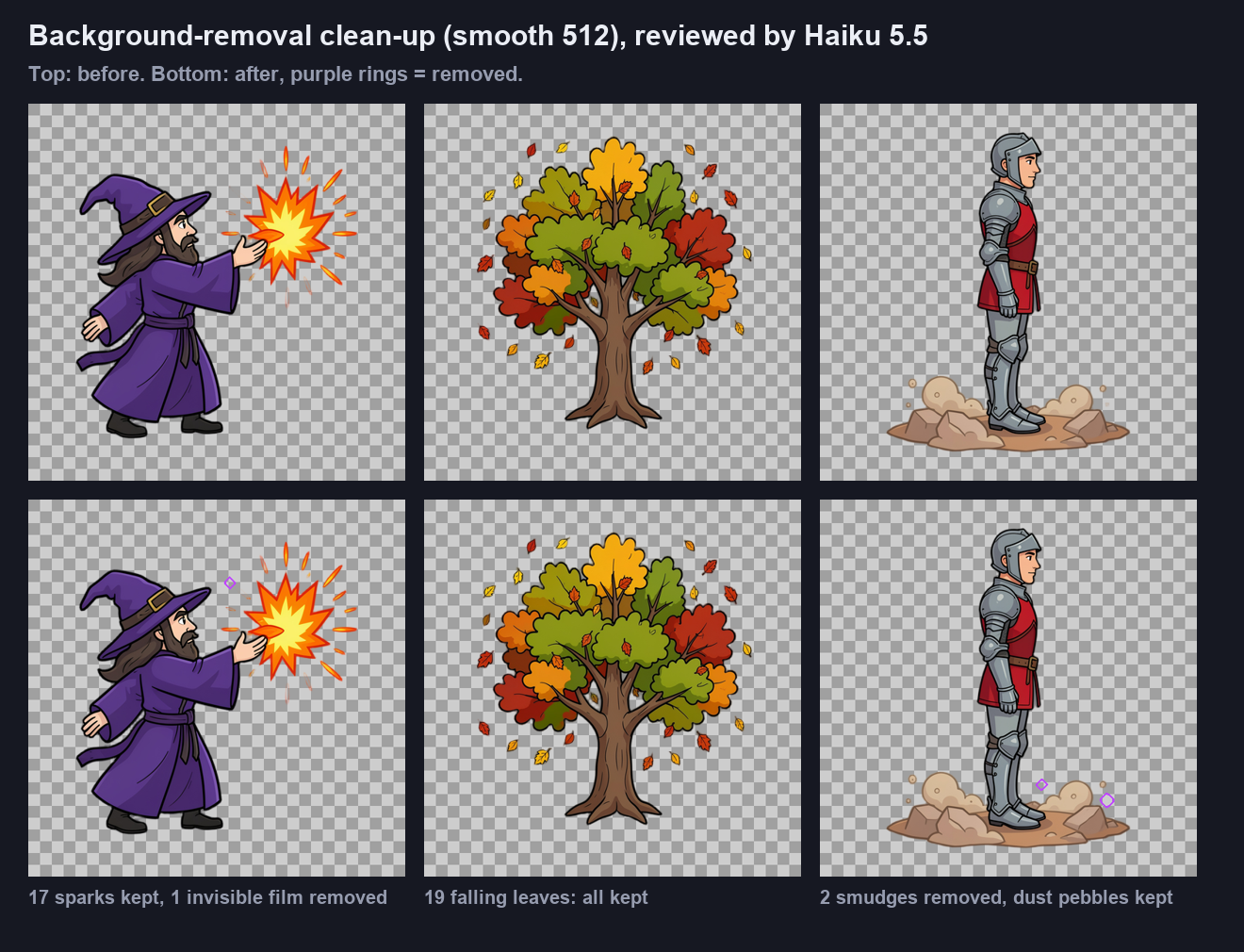
Cutting a character out of its background usually goes wrong in two ways: bits of the background stay behind, and bright effects like a fireball get cut away with it. Voidless draws images on a key colour so effects survive the cut, and an AI checks every leftover before it is removed, so sparks, falling leaves and dust stay while stray smudges go.
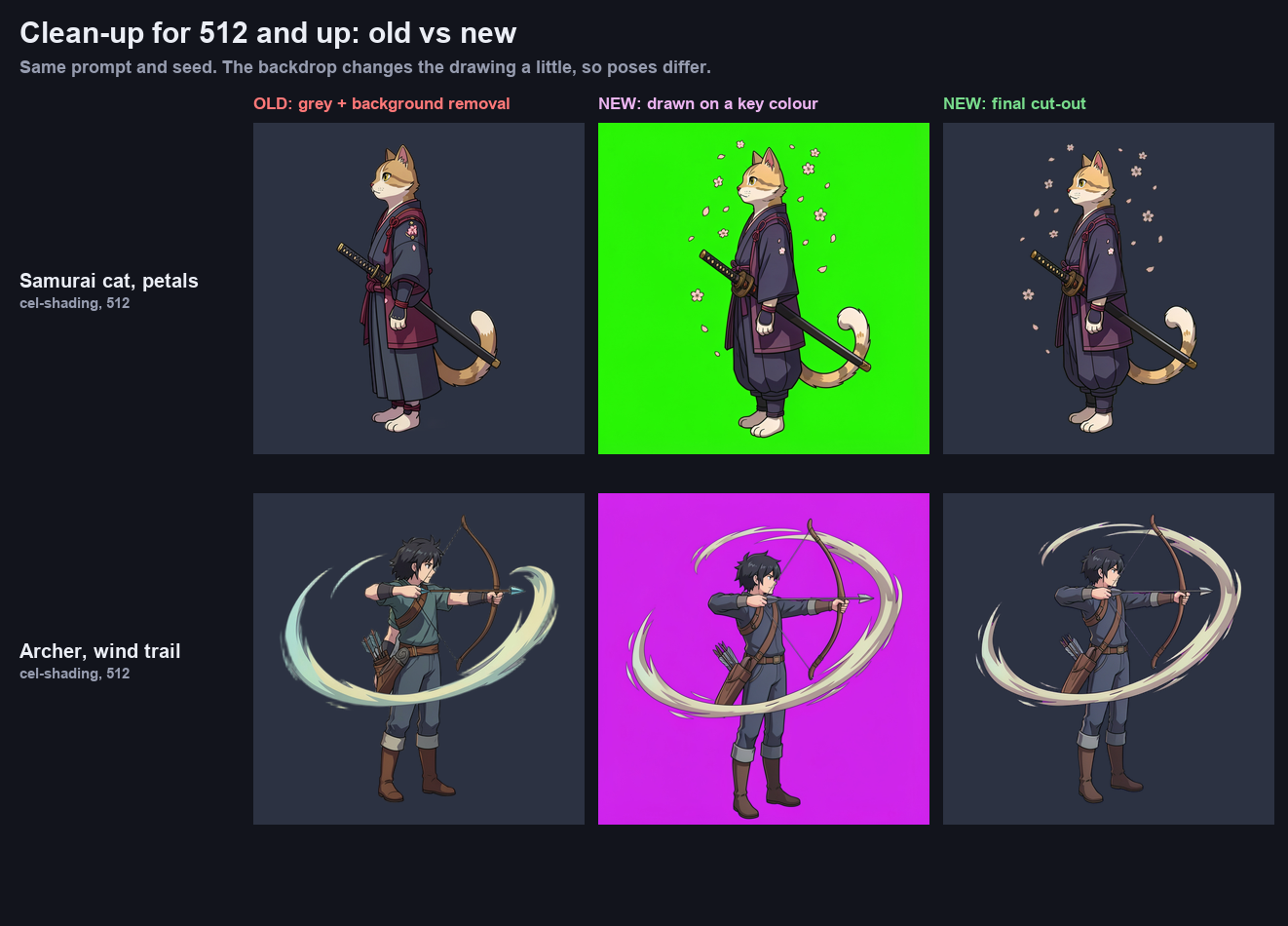
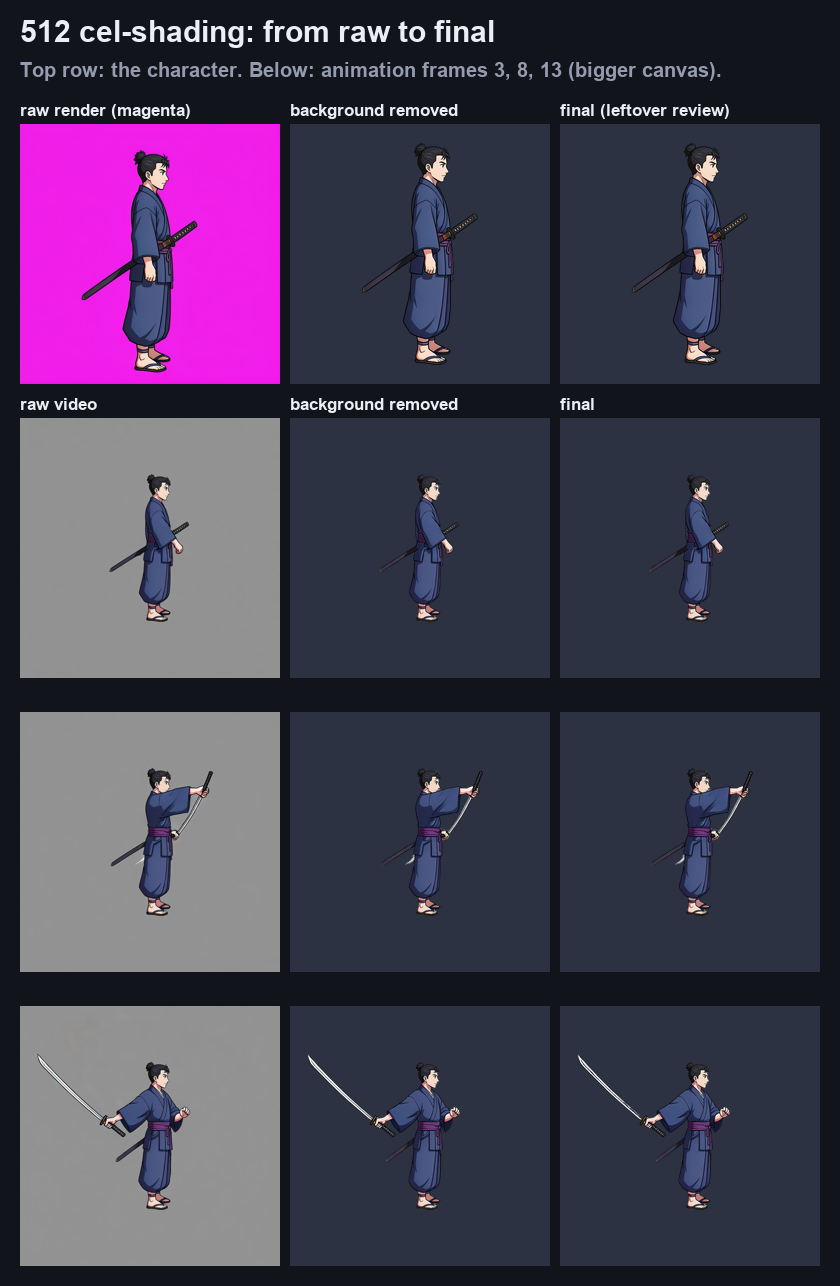
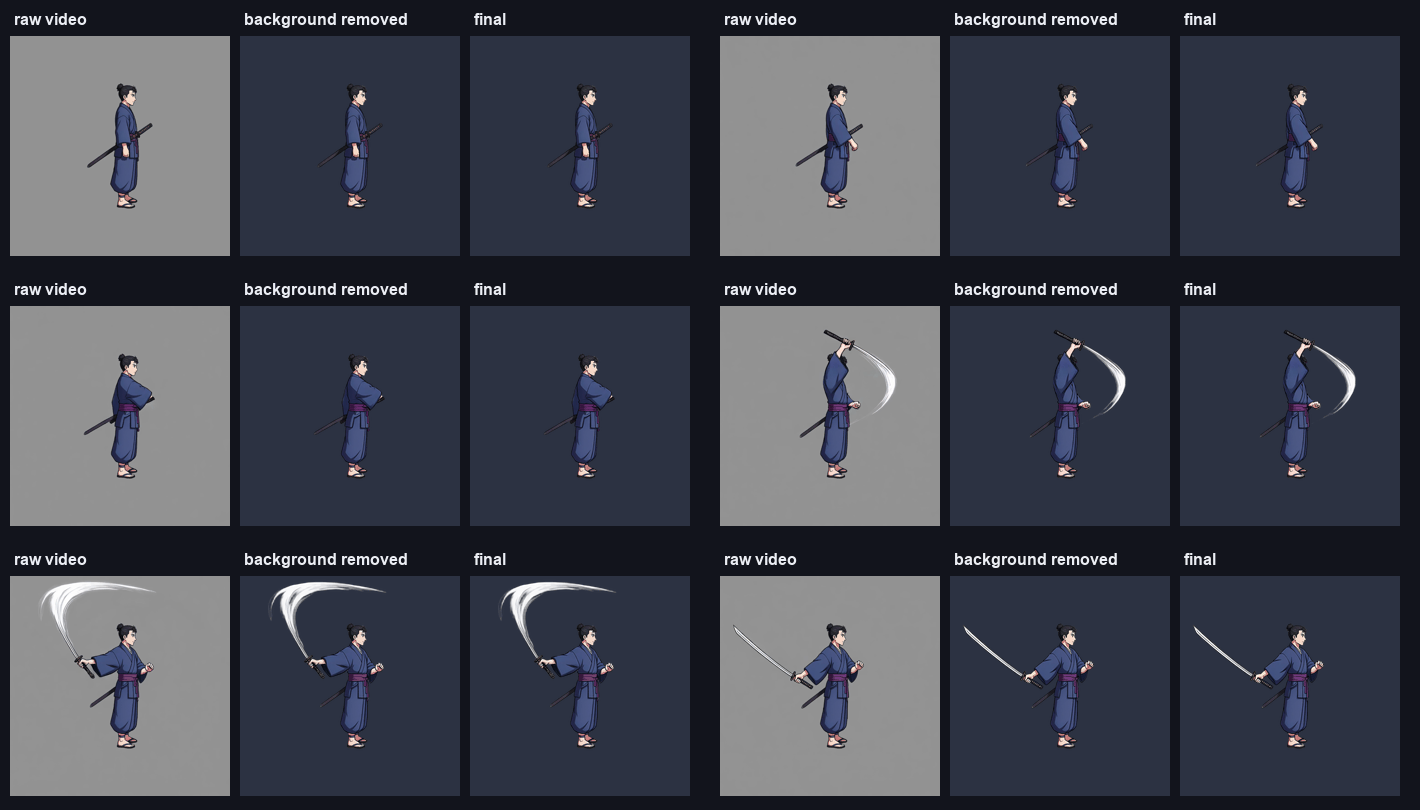
Any smooth style at 512 or 1024 px: cartoon, cel shading, anime and more.
Images are drawn on a key colour and cut out with it, so gaps open up and bright effects are kept.
Anything left behind outside the subject is checked by an AI, and only real leftovers are removed.
Fireballs, sparks and glows survive the cut-out.
Smudges, faint film and background showing through gaps are cleared.
Falling leaves, dust and motion trails are checked and kept.
No. It runs on every 512 and 1024 px generation, edit and animation at no extra cost.
Pixel art has its own clean-up, which works pixel by pixel. See Pixel Art Clean-Up.
Not if they are part of the art. Every detached piece is checked by an AI, and drawn shapes like sparks, leaves and dust are kept.
Start free. Voidless+ is one payment, no subscription, and you own everything you make.