Stray pixels fixed
Specks of the wrong colour, single stray pixels and grey patches in coloured areas.
 VOIDLESS.DEV
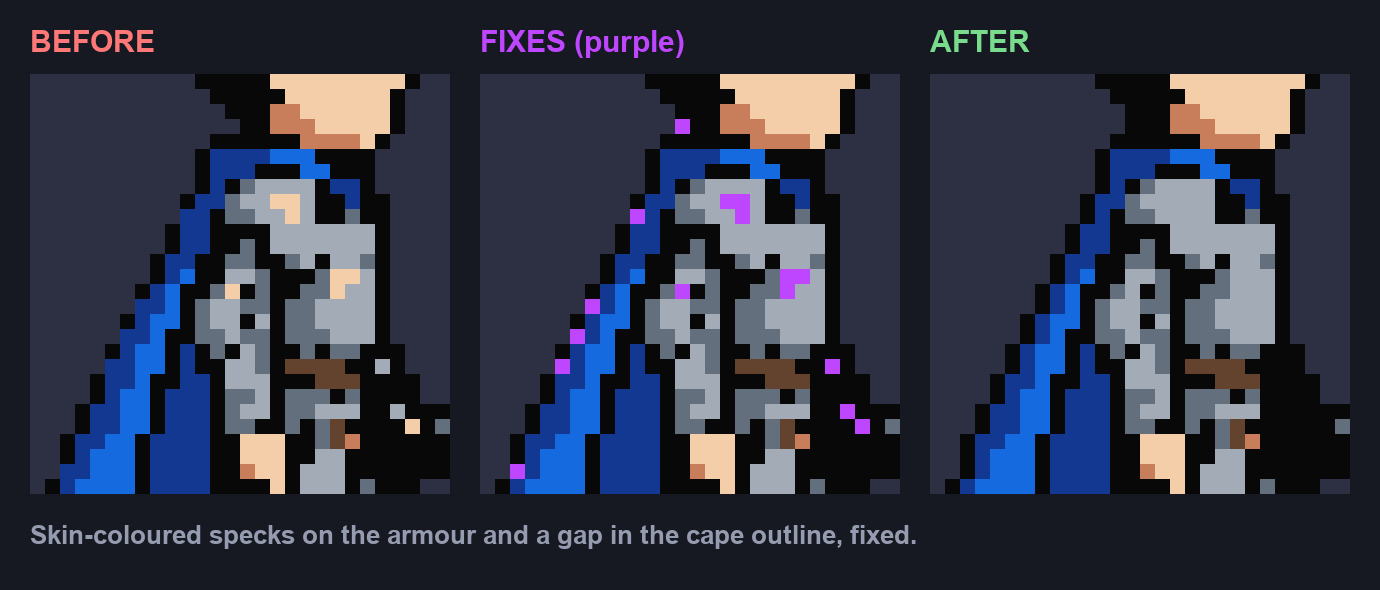
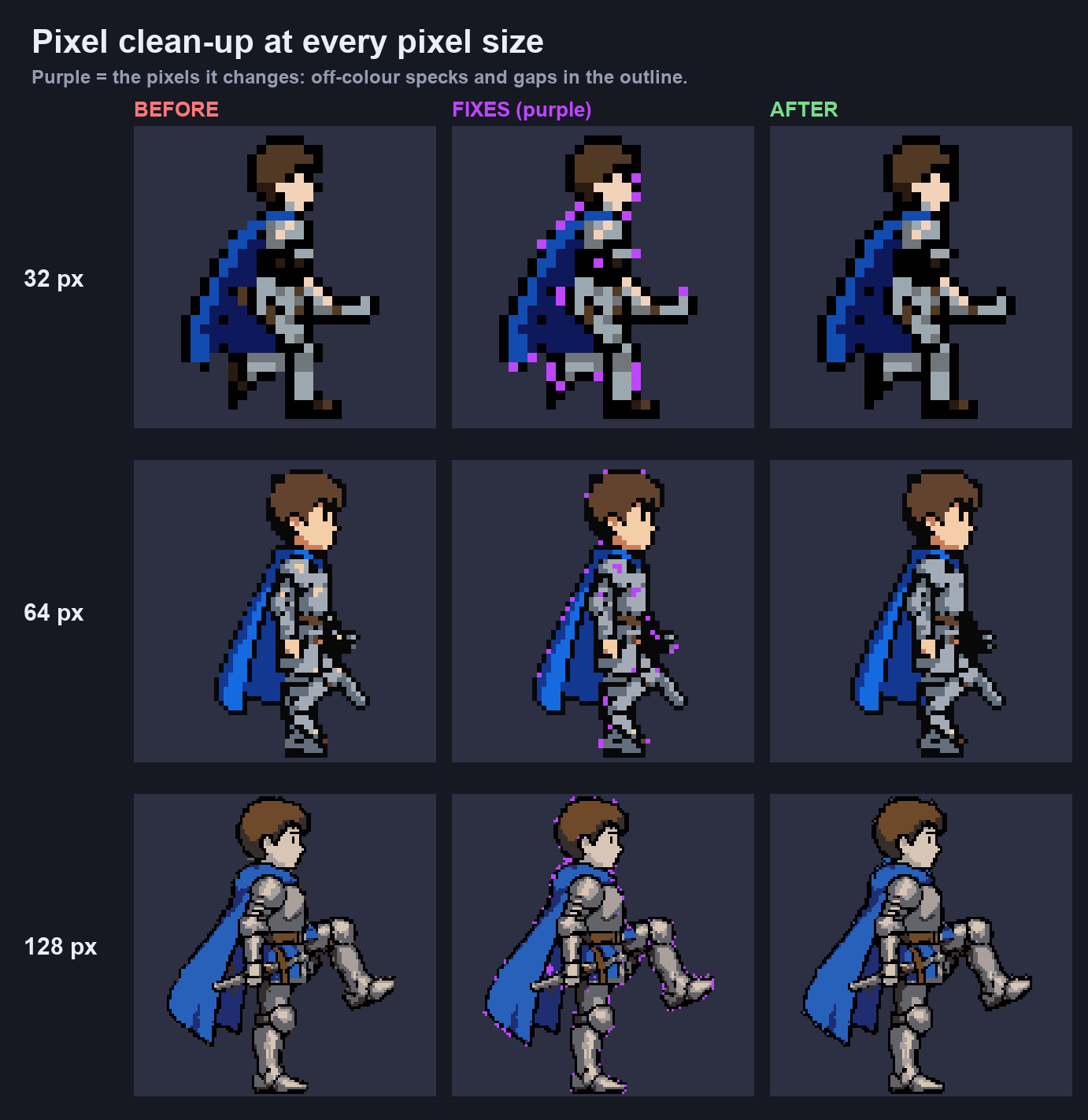
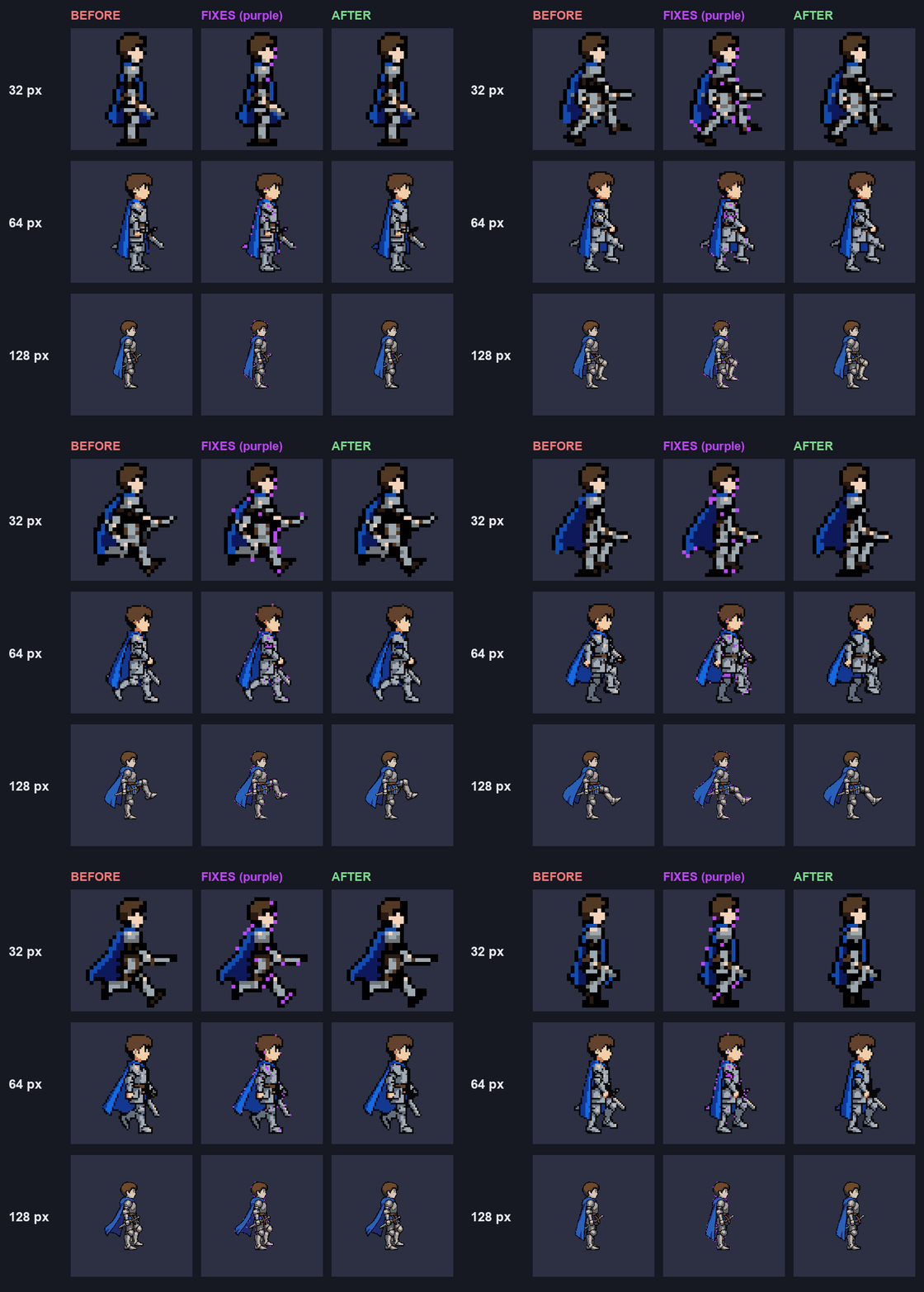
AI pixel art comes out with a few wrong pixels: skin-coloured specks on armour, gaps in the outline, a grey patch in a cape. Voidless finds them, has an AI check each fix so real detail like eyes, ears and highlights stays, and cleans every generation, edit, rotation and animation frame. No button, no extra credits.
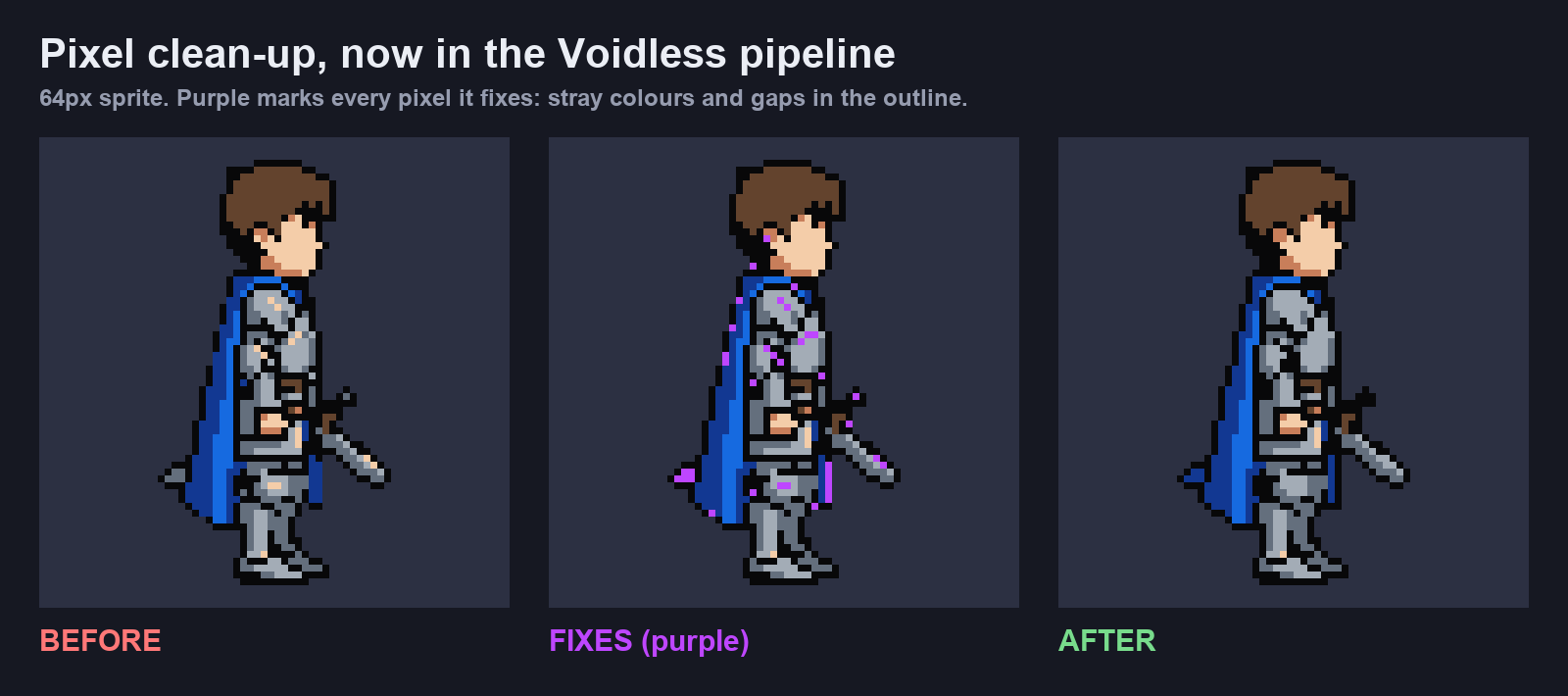
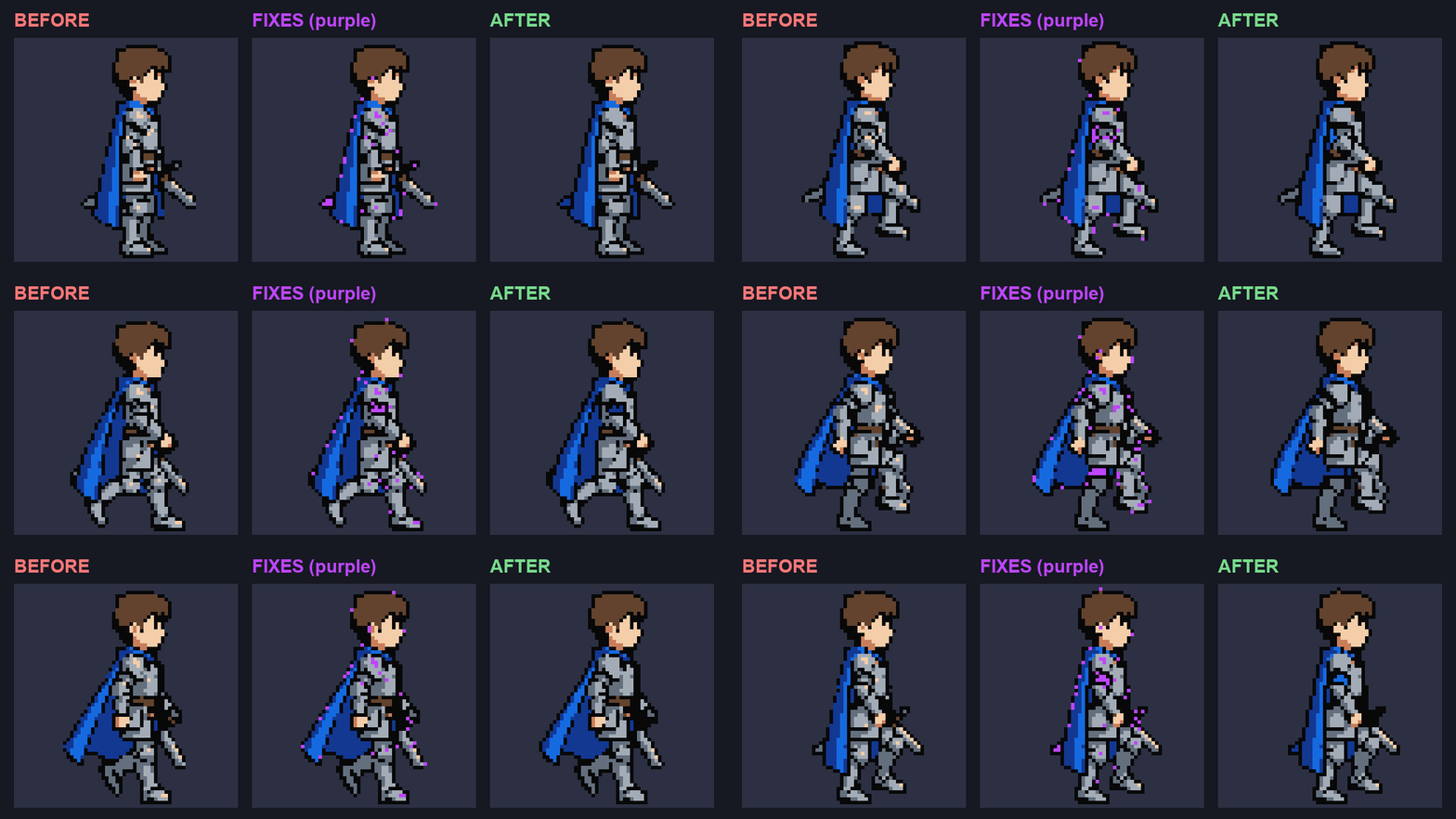
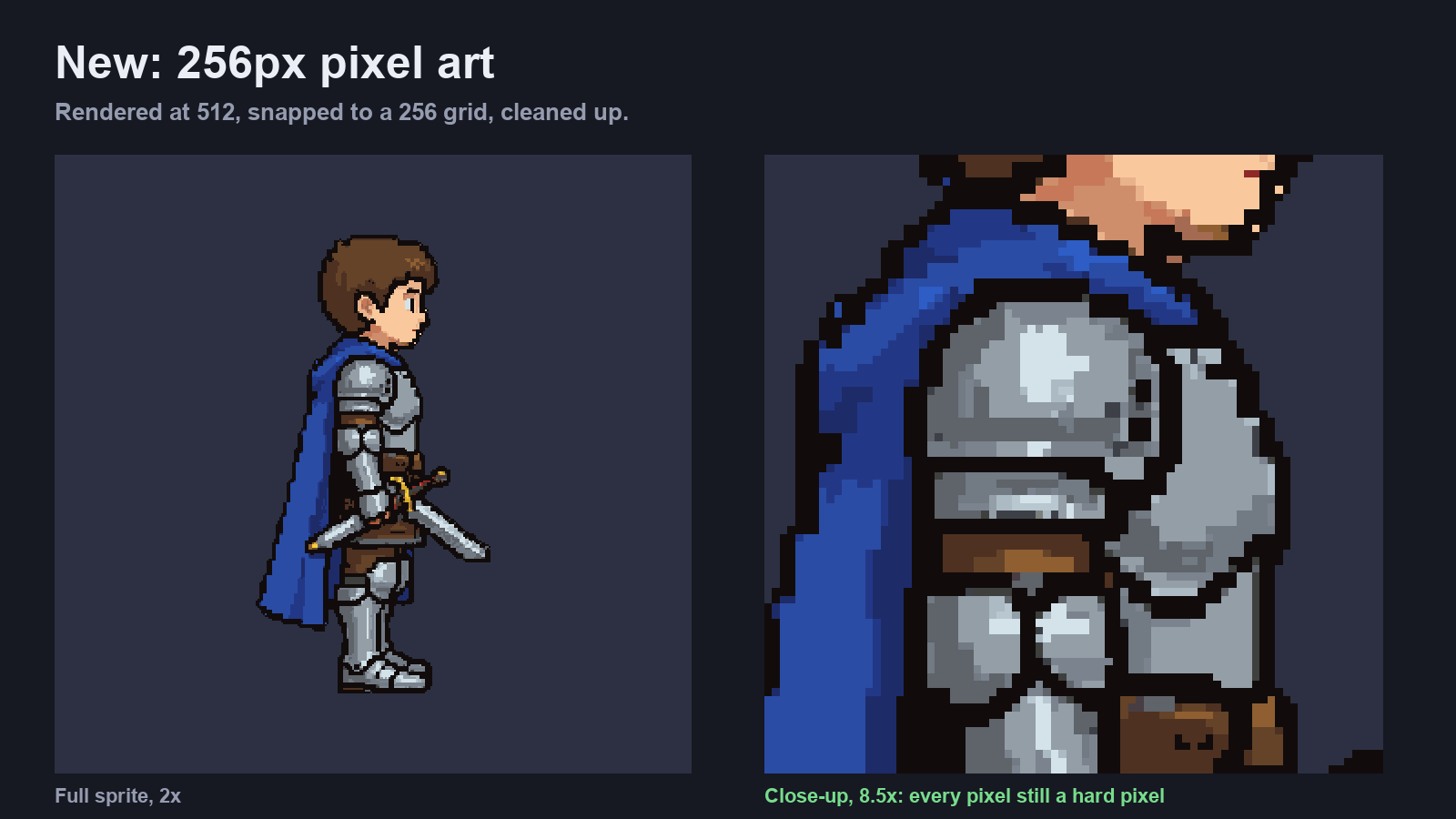
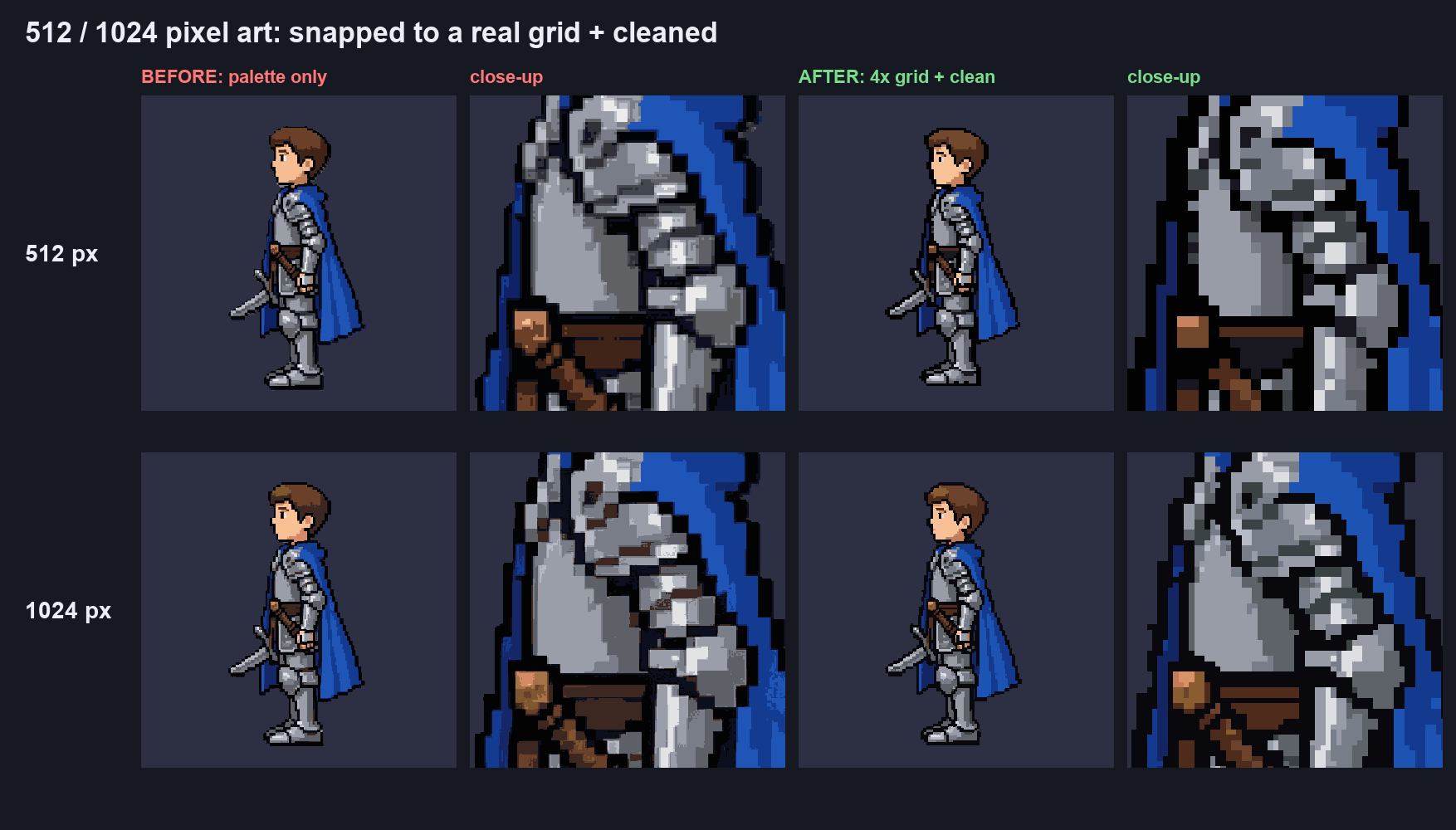
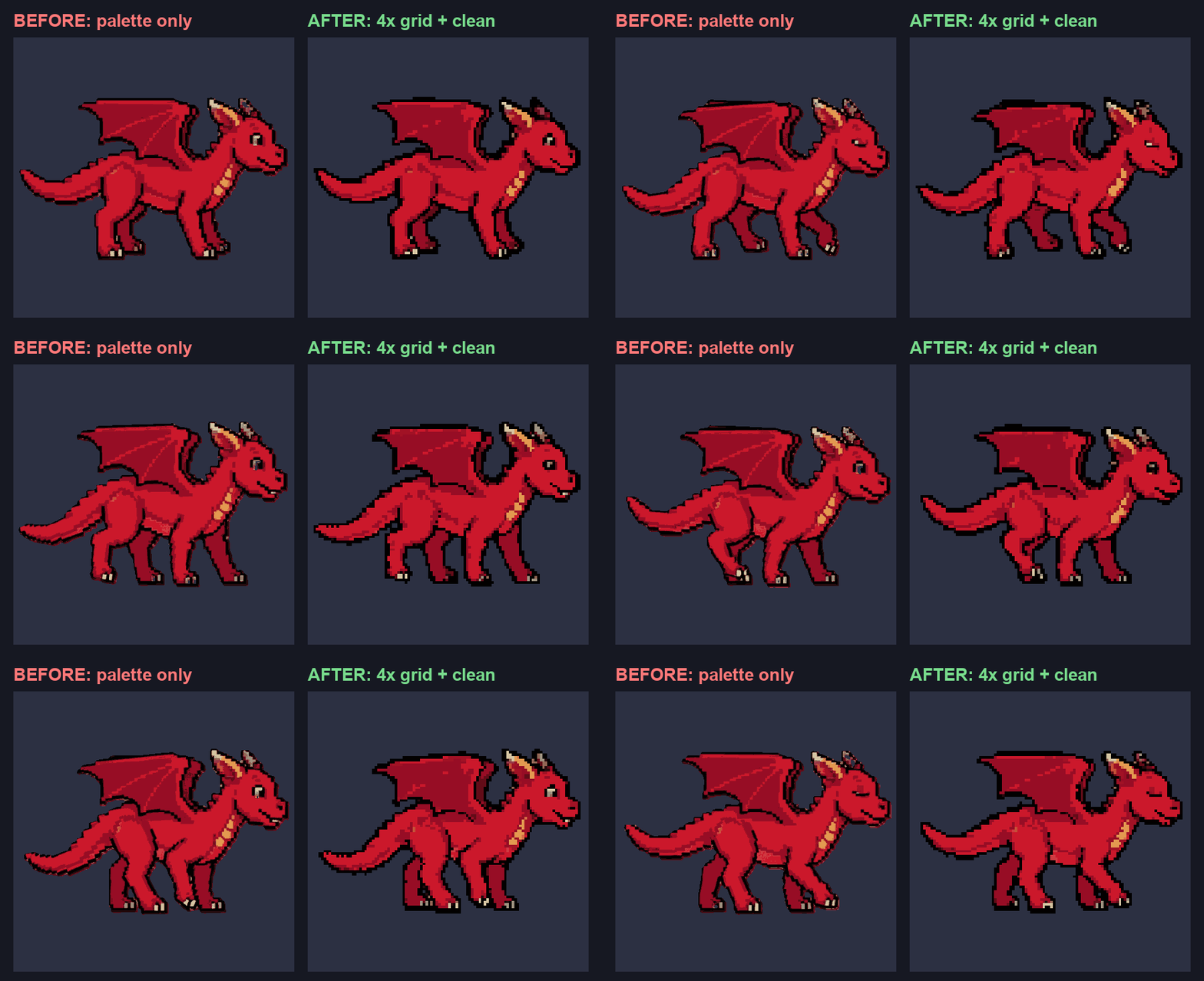
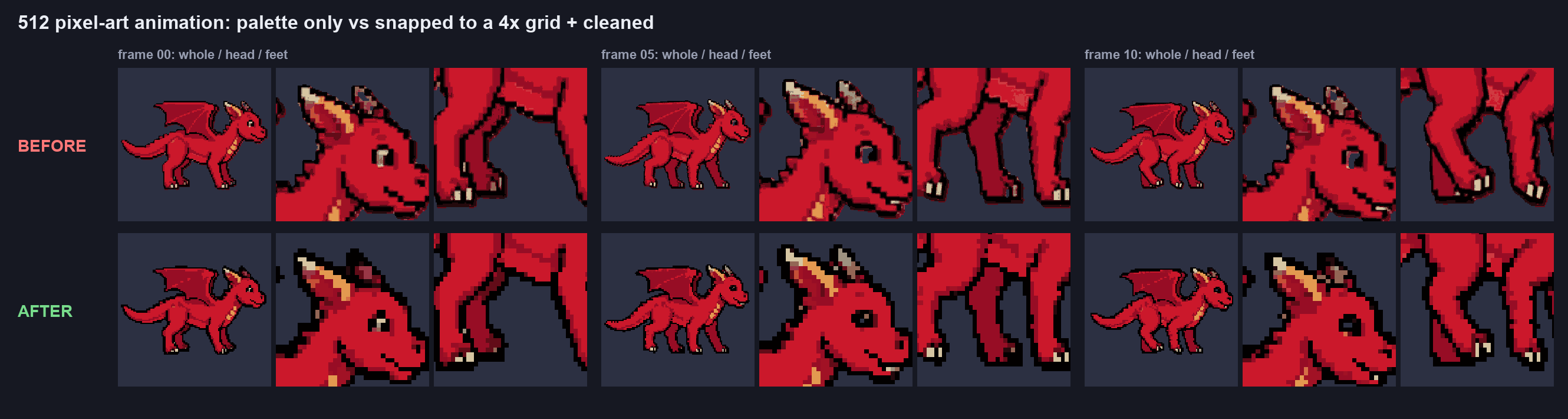
Generate, edit, rotate or animate, in Pixel Art or any other style at 32 to 256 px, or Pixel Art at 512 and 1024.
Each image and frame is put on a real pixel grid with one palette across the whole set.
Stray pixels and outline gaps are fixed. An AI looks at every colour fix and undoes any that would erase real detail.
Specks of the wrong colour, single stray pixels and grey patches in coloured areas.
Gaps in a black outline are filled, without growing the sprite.
Eyes, ears, fingers, buckles, claws and highlights are checked by an AI and left alone.
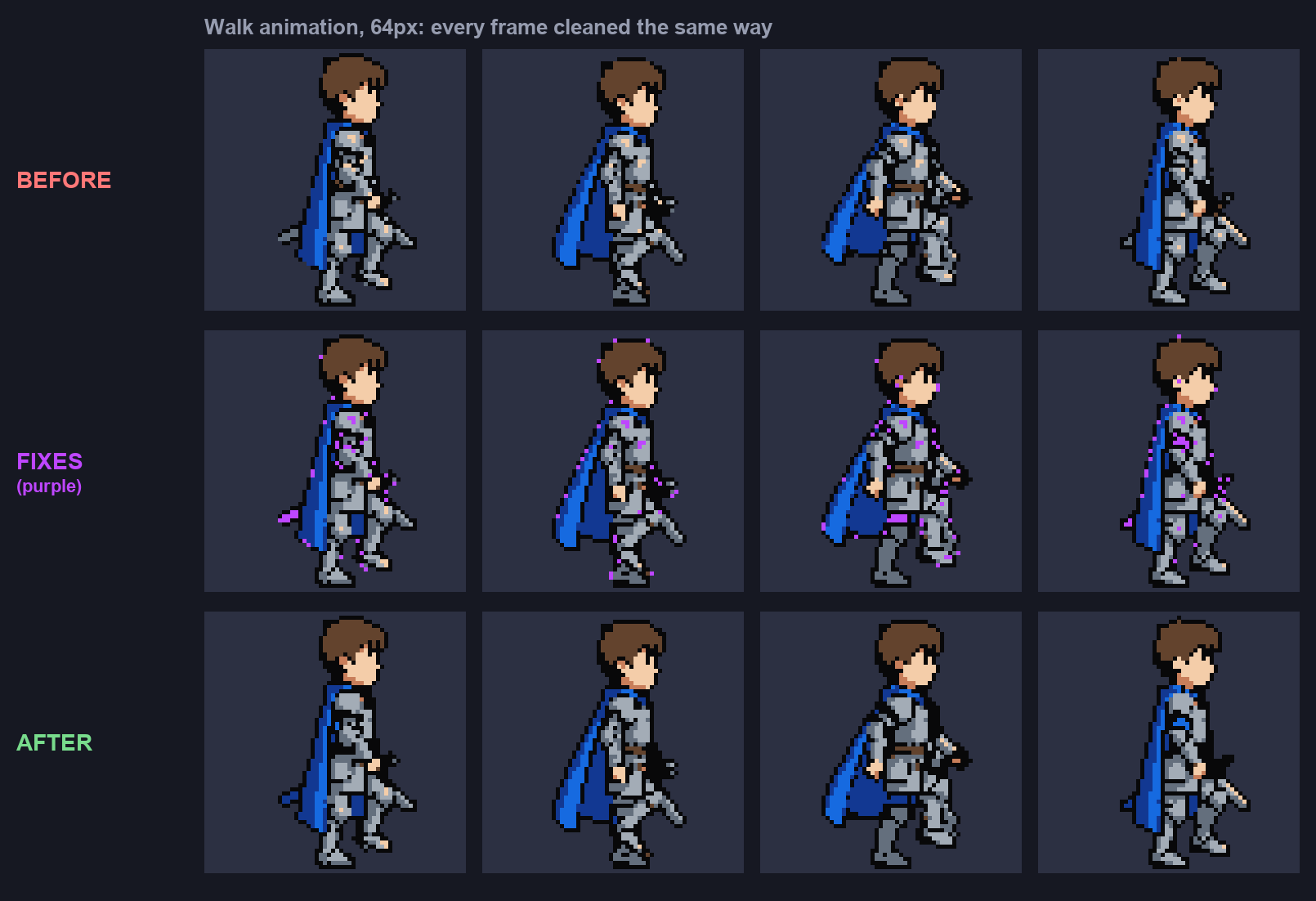
Animations and rotations are cleaned frame by frame against one palette.
Large pixel art is snapped to a real grid, every art pixel an exact 4 by 4 block.
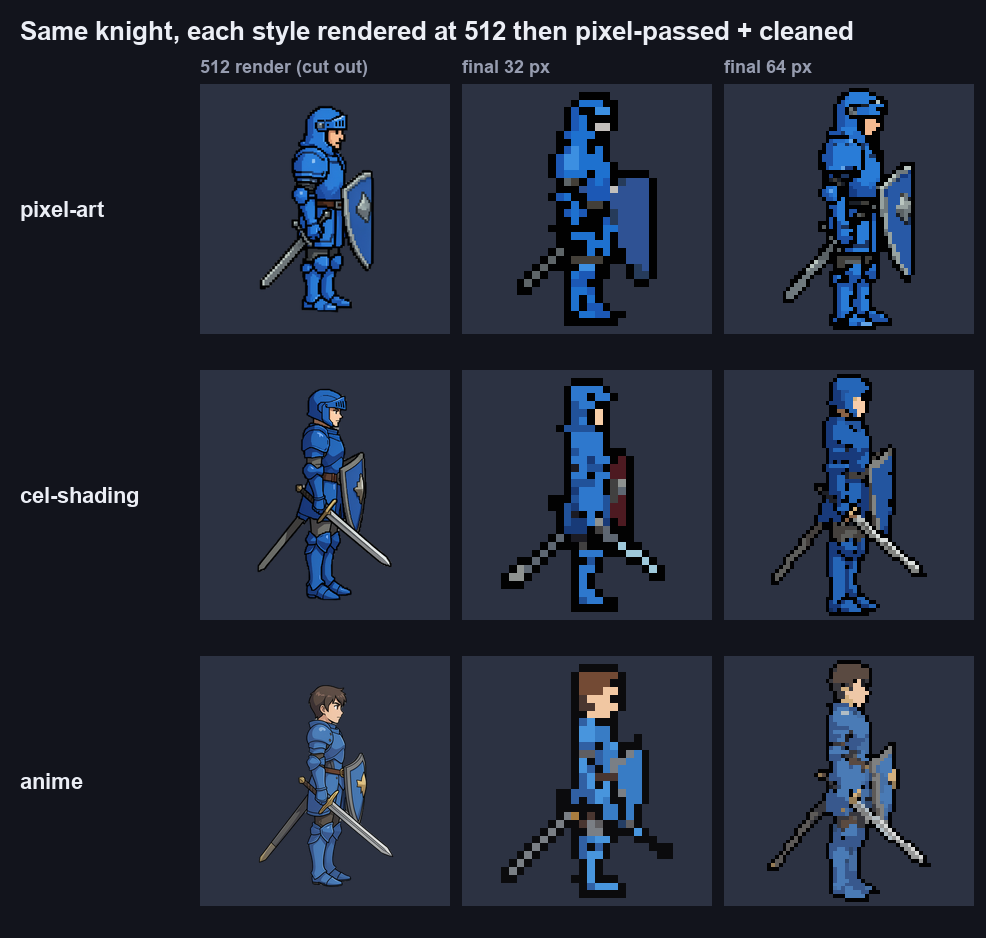
Cel shading, anime, cartoon or any other style at small sizes, cleaned the same way.
No. It runs on every pixel art generation, edit, rotation and animation at no extra cost.
32, 64, 128 and 256 px in any style, and Pixel Art at 512 and 1024 px, which is also snapped to a true pixel grid.
Only the pixels it fixes, shown in purple on this page. Every colour fix is checked by an AI, and any that would remove a real feature is undone.
Yes. Pick the style and the size; it is drawn in that style, then put on the pixel grid and cleaned.
Start free. Voidless+ is one payment, no subscription, and you own everything you make.