Write the change in plain words: add a hat, swap a colour, change the weapon. Attach reference images to show what you mean (2 credits each).
5 creditsEdit images with AI: describe the change
Open any image in Voidless and type what should change, like “give it a red collar”. The edit comes back as a new version next to the original. From the same screen you can turn a sprite to face 8 directions, animate it, flip it or redraw it in a new style.
Edits cost 5 credits. Uploads, Remove BG and Flip to left side are free.
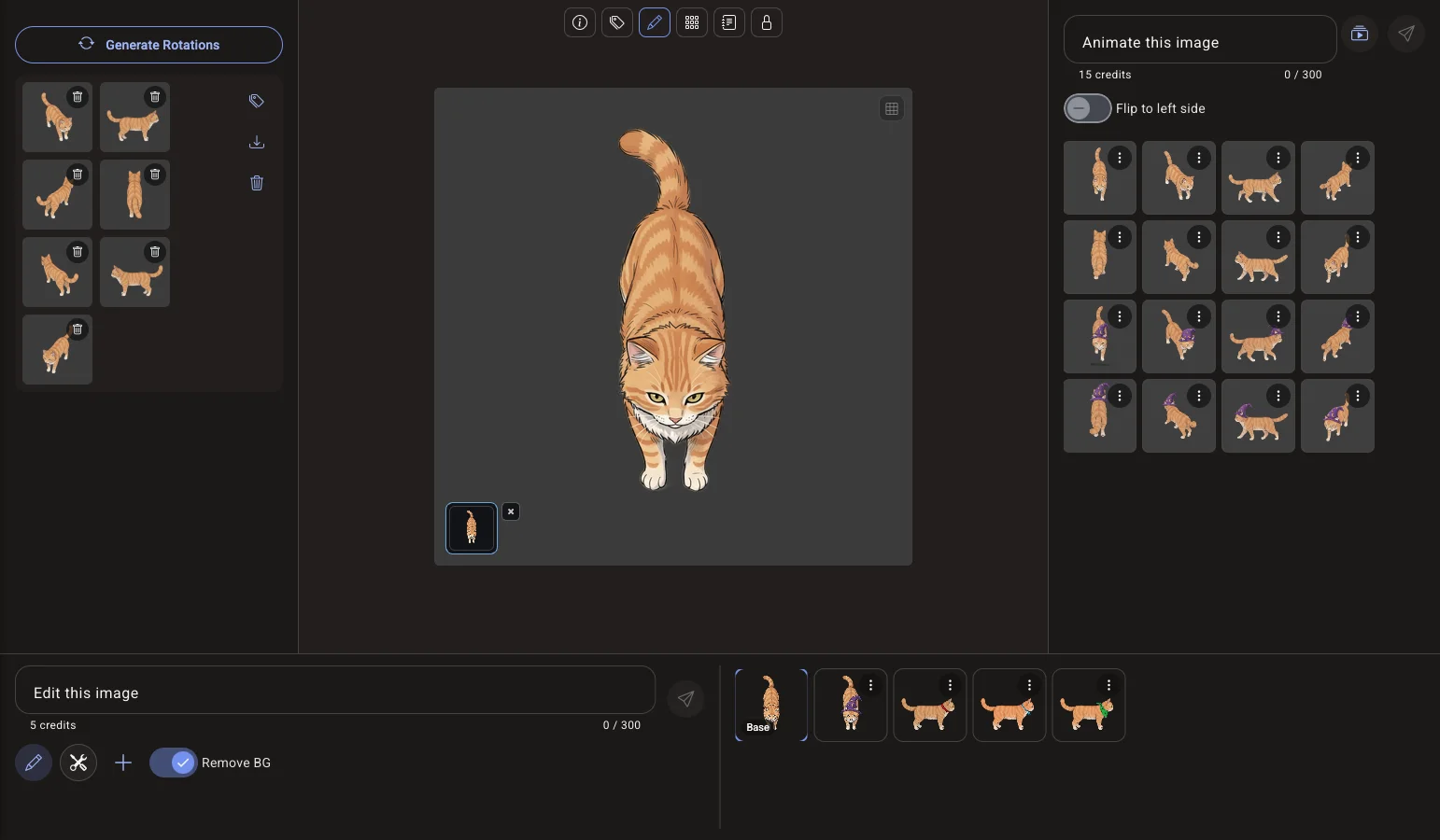
Every tool in one editor
Each tool works on the image you have open, and each result is saved to the same asset, so nothing gets lost between steps.
Get the same character facing every direction for a top-down game.
10 creditsTurn a still into a walk, run, idle or attack animation, one direction or a full set.
From 15 creditsMirror a right-facing sprite to get its left-facing version without generating it again.
FreeCut the sprite out so it sits cleanly in your game or sprite sheet.
FreeRedraw an image as a clean game asset in a new style, for example as pixel art.
2 creditsEdit sprites next to your game
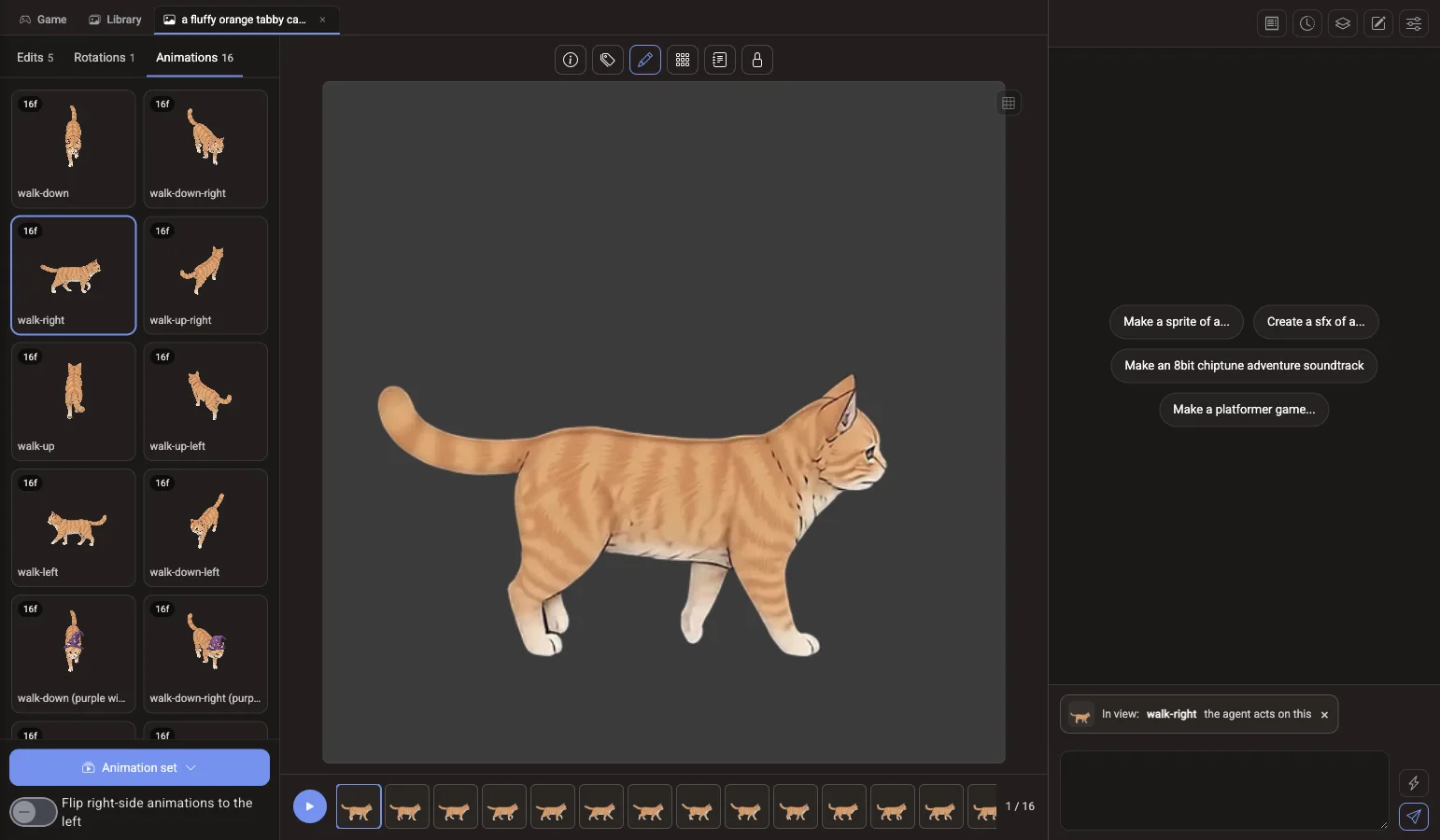
In a project, the Library tab opens the same editor beside the game agent’s chat. The Library panel sorts every version into Edits, Rotations and Animations, the middle shows a big preview, and animations get a frame timeline. The image “In view” is the one the agent works on, so you can ask for a change in chat and it lands on that exact image.
Made from a single image



Each of these started as one still image and was turned into a moving sprite in the editor.
Questions about the AI image editor
How much does an edit cost?
A prompt edit costs 5 credits, plus 2 credits for each reference image you attach. $1 buys 100 credits. Flip to left side and Remove BG are free.
Can I edit my own images?
Yes. Uploading is free on every plan. An uploaded image opens in the same editor as a generated one, with the same tools.
Does editing overwrite the original?
No. The original stays as the base image and every edit is saved as its own version beside it, so you can go back to any of them.
Can I turn an image into pixel art?
Yes. Redraw restyles an image, for example into pixel art, for 2 credits. You can also pixelate an image for 1 credit with the pixelate tool.
More AI tools for game art
AI image generator
Make characters, items and scenes from a prompt.
Pixel art generatorSprites and tiles drawn at pixel size.
8-direction spritesOne character, eight facings.
Sprite animationWalk, run and attack cycles from one image.
Sprite sheetsA full animation set from one sprite, as sprite sheets.
AI game agentDescribe a game and play it in your browser.
Open an image in the editor Upload one for free or generate one, then describe the change.